Short Answer
For the settle-or-not question, paste the address into BlockSec's USDT Freeze Checker: it shows blacklist and freeze status directly, free, with no account. When you also need where the funds came from and what risk labels the address carries, the Phalcon Compliance scan on the landing page reads all three layers, and that first scan answers the immediate question, is this address safe to transact with. When you check addresses every day, or when money moves before a human can look, the same checks move into an API and monitoring workflow. This page walks both paths.
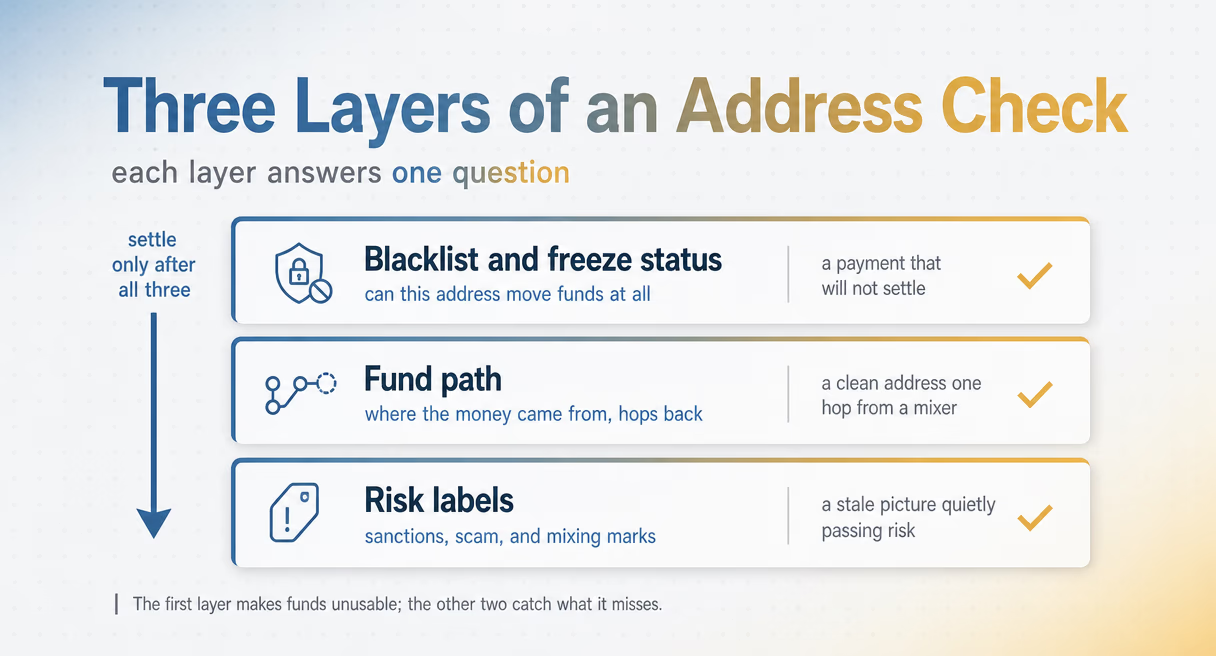
What You Are Actually Checking: Three Layers
| Layer | What it answers | What it protects against |
|---|---|---|
| Blacklist and freeze status | Can this address move funds at all | A payment that will not settle |
| Fund path | Where did the money come from, a few hops back | A clean address one hop from a mixer or scam cluster |
| Risk labels | What sanctions, scam, and mixing marks follow the address | A stale picture quietly passing risk |
Layer 1: Blacklist and freeze status
The first layer is the one that makes funds unusable: whether the issuer has blacklisted the address. USDT runs on a central blacklist built into the token contract, and when the issuer adds an address, transfers to and from it simply fail. The balance shows on-chain, but it cannot move. Checking this layer before you transact is the simplest risk control in stablecoin operations, because a blacklisted address on the other side means the payment will not settle and funds can sit stuck mid-flow. The mechanism behind it is covered in How Does USDT and USDC Freezing Work?
Layer 2: Where the funds came from
The second layer looks past the address in front of you, at the hops behind the money. An address can be clean itself while sitting one hop from a mixing service, a scam cluster, or a wallet that was frozen last week. Issuers and exchanges judge exposure by the network an address touches, not just its own transfers, so a check that stops at the direct address answers the wrong question. Trace the path: who funded this wallet, and what do those sources look like. That network view reflects the FATF risk-based approach: the closer an address sits to illicit funds, the more scrutiny it warrants.
Layer 3: Risk labels
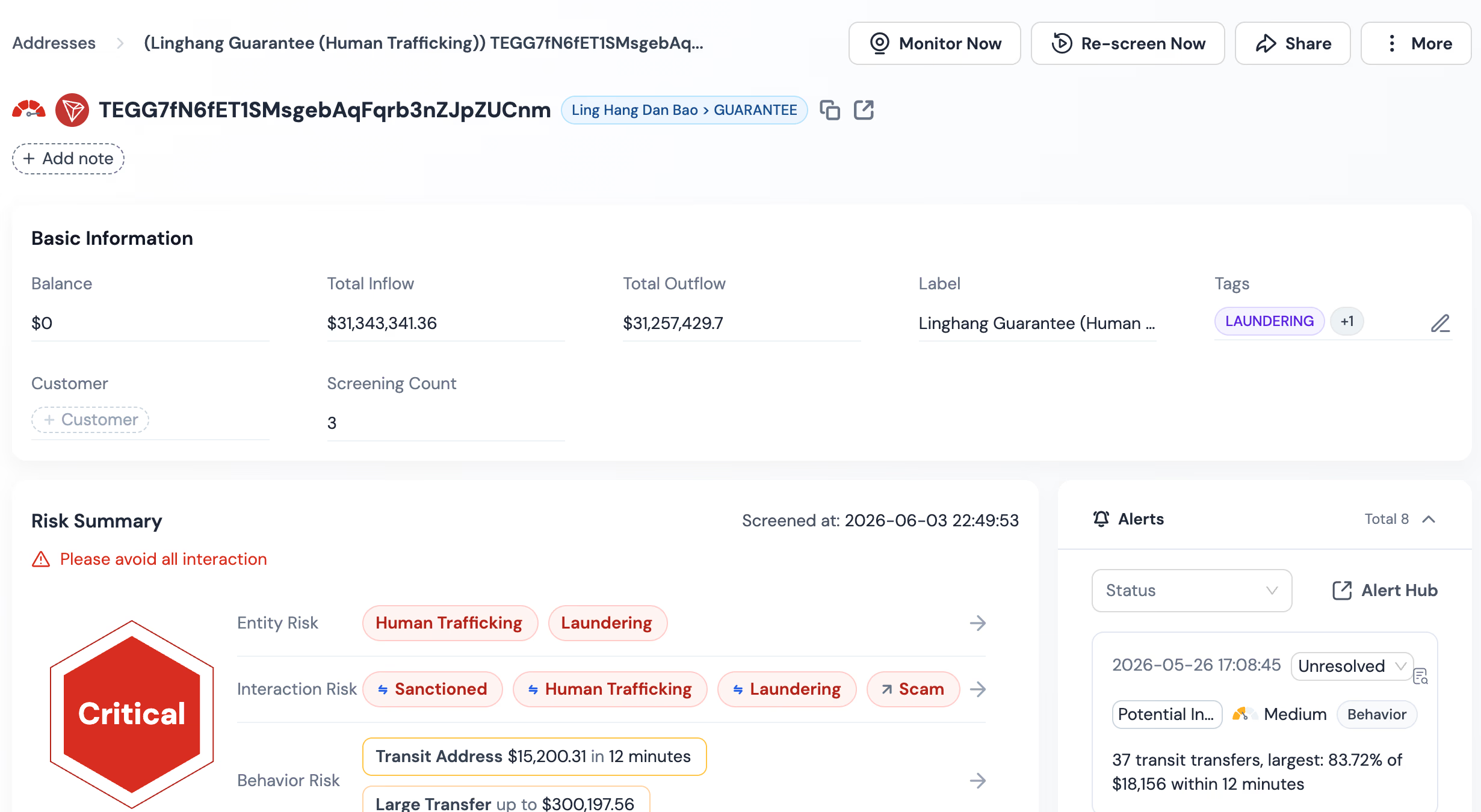
The third layer is the label picture: sanctions exposure, scam tags, mixing associations, and the other categories that regulators and issuers act on. A good scan reads from a large, fresh label library, because labels age fast and a stale picture is quietly wrong. Phalcon Compliance draws on more than 600 million labeled addresses updated around the clock, read across 17 risk indicator categories, so the label answer reflects the current state, not last quarter's.
Step by Step: Checking an Address
The check itself takes under a minute, and the steps stay the same whatever the address.
- Check freeze status first. Paste the address into the USDT Freeze Checker. It is free and answers the settle-or-not question directly: blacklisted, frozen, or clear. If the address is blacklisted, stop here, the transaction will not go through.
- Open the full risk scan. For the layers beyond freeze status, go to the Phalcon Compliance landing page and paste the address, or paste the transaction hash for an inbound payment you are deciding about, which shows both sides plus the path.
- Read the fund path. Look at where the funds came from, a few hops back. Flag anything that passes through mixing services, high-risk pools, or clusters of scam labels.
- Read the labels and risk summary. Sanctions tags come first, then scam and fraud categories, then mixing and other associations. The risk summary rolls them into a picture you can act on.
- Decide and record. Accept, reject, or hold the transaction, and record what the check showed. If a regulator ever asks, that record is your answer for why the payment went ahead.
Free Direct Scan vs API and Monitoring
A free direct scan fits manual checks; a payments operation needs the same checks running inside the flow. The dividing line is volume and speed. If a person reviews the other side of each payment before settling, the landing-page scan covers it. If transactions arrive faster than a person can look, or run outside business hours, the checks belong in the API path. Address profiling (KYA) pulls the risk picture programmatically, and transaction monitoring (KYT) screens every flow in milliseconds. Webhooks push alerts to your system when something changes on an address you have already cleared. A middle pattern fits most growing teams: manual scans at onboarding, then monitoring on the addresses you settle with repeatedly, because blacklist events can land on a previously clean address at any time.
What to Do Next
If the address is already frozen, what happens when a stablecoin wallet is frozen walks through the three-stage response.
Run the other side of your next payment through a scan before you settle, and see what the three layers show. The USDT Freeze Checker answers the freeze question on the spot, and the Phalcon Compliance landing page takes any address or transaction hash for the full three-layer picture. If the checks need to live in your payment flow, explore Phalcon Compliance for the API and monitoring path. For the wider picture around USDT risk controls, see How to Monitor Stablecoin Counterparty Risk and the Stablecoin Compliance hub.